Cognitive Ergonomics Explained: Designing Systems for the Human Mind
Cognitive ergonomics is the branch of ergonomics that aligns with how the human mind actually works and focuses on designing systems, products, and environments. Especially in complex or high-stakes situations, it addresses how people perceive information, make decisions, remember steps, manage attention, and cope with mental workload.
It has become central to UX design, HCI, workplace safety, and product usability, as modern work increasingly involves screens, software, automation, and decision-heavy tasks. If the system overloads with attention, confuses decision-making, or creates mental stress, it will fail in practice, although it may be physically comfortable.
This article explains how it transforms user experience and safety and what cognitive ergonomics is, its core principles, real-world applications.
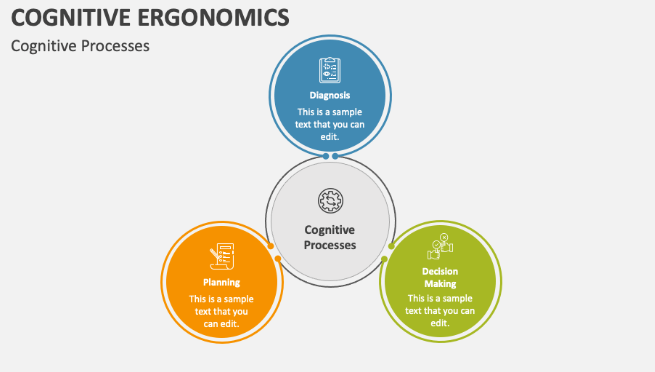
What Is Cognitive Ergonomics?
Cognitive ergonomics is a branch of ergonomics, and the scientific study of how well a system is suited for the cognitive capabilities and limitations of its users. It gets information from Cognitive psychology, Neuroscience, Human–computer interaction (HCI) and Human factors engineering.
It provides evidence-based guidelines that designers, engineers, and organizations use to improve usability, reduce human error, and support efficient decision-making, rather than being a design style.
Why Cognitive Ergonomics Matters to the Brain?
Because cognitive ergonomics is about aligning systems with how the brain actually processes information and just about better design. When most interfaces ignore cognitive limits, they amplify shallow processing, decision fatigue and cognitive biases increasing the risk of human error even in well-trained individuals.
What does Cognitive Ergonomics Focus On?
The main focus is on areas like:
- Human–system interaction
- Mental workload
- Stress, fatigue, and training
- Attention and perception
- Human error and reliability
- Memory and learning
- Skilled performance
- Decision-making
In short, cognitive ergonomics asks: “Under real conditions, does this system respect how people think, learn, and decide?”
Why Does it Matter in Today’s World?
The modern systems are very cognitively demanding:
- Software dashboards
- Digital products and apps
- Medical devices
- Industrial automation
- Control rooms
- Aircraft cockpits
- Financial platforms
Many failures in these systems are cognitive failure, and they are not technical failures:
- Missed alerts
- Attention capture by irrelevant information
- Poor decisions under pressure
- Memory overload
- Confusing interfaces
To prevent these failures before they happen, cognitive ergonomics exists.
Applications:
Early High-Risk Domains:
In safety-critical environments, the first major applications of cognitive ergonomics including:
- Medical anesthesia and surgery
- Nuclear power plants
- Military and aviation systems
- Air traffic control systems
These domains share common traits like high cognitive load, time pressure, severe consequences of error, complex and dynamic information.
Expansion to Everyday Systems:
Cognitive ergonomics principles proved transferable to “softer” domains, over time:
- Banking and finance
- Leisure and entertainment systems
- Office work and knowledge jobs
- Consumer electronics
- Software and digital products
In today’s world, cognitive ergonomics is deeply embedded in:
- UX/ UI design
- Training and onboarding systems
- HCI research
- Workplace safety
- Product design
Core Principles of Cognitive Ergonomics:
- Mental Workload Management
The human brain has limited working memory and cognitive ergonomics aims to:
- Reduce or minimize the unnecessary decisions.
- Reduce the information overload.
- Externalize memory with the help of checklists, cues and defaults.
Errors increase sharply, when mental workload exceeds capacity. Similarly, poorly designed systems lead to shallow cognitive processing, where users act without deep understanding.
- Clear Perception and Attention
All people do not process everything equally and the design must:
- Make all the important information visually salient.
- Try to reduce the visual clutter.
- Use consistent signals and layouts.
It effectively doesn’t exist, if users don’t notice something.
- Decision Support
Human brains are poor at complex probability calculations, multi-variable trade-offs and sustained vigilance. Cognitive ergonomics solves this problem of decision-making by structuring choices, using defaults wisely and providing meaningful feedback.
- Error Prevention and Recovery
Human errors are inevitable, and the systems should prevent common mistakes, make errors visible early and allow for easy recovery. Blaming the users is never a solution whereas the design is.
- Learning and Skill Development
Good systems support fast learning for novices, smooth transition to expertise and long-term skill retention Like cognitive walkthroughs, this aligns closely with learnability-focused methods.
Cognitive Ergonomics and User Experience (UX):
Products designed with cognitive ergonomics are simple, clear, predictable and confidence-building.
A valuable user experience is according to UX expert Peter Morville is:
- Useful
- Valuable
- Usable
- Credible
- Desirable
- Accessible
- Findable
Cognitive ergonomics underpins all of these qualities by ensuring the system is not against human cognition rather it aligns with it.
Disciplines That Support in UX
Building systems involves multiple disciplines, according to usability and UX practice:
- Project Management by coordinating user-centered design processes.
- User Research via understanding real cognitive needs and behaviors.
- Usability Evaluation through testing learnability and clarity - methods like cognitive walkthroughs are used to evaluate whether systems match human thought processes
- Information Architecture by structuring information logically.
- UI Design done making actions visible and intuitive.
- Interaction Design, designing meaningful system responses.
- Visual Design which supports perception and attention.
- Content Strategy using language that matches mental models.
- Accessibility which supports diverse cognitive and sensory abilities.
- Analytics by measuring where cognition breaks down.
Tying these disciplines together, it acts as the theoretical backbone.
Cognitive Ergonomics in Industry Safety
A large proportion of workplace accidents are not due to physical strain but caused by cognitive breakdowns:
- Poor decisions under stress
- Missed warnings
- Fatigue-related lapses
- Misinterpreted signals
The modern market increasingly asks cognitive psychologists and ergonomists to design for aging workforces; support reduced sensory abilities and reduce cognitive stress and overload.
Cognitive ergonomics also helps organizations to improve safety, reduce human error, increase productivity and design better training systems.
Guidelines for Interfaces
A good cognitive ergonomics in software interfaces involves logical information flow, consistent terminology, predictable interactions and immediate feedback. The flow from screen to screen matches user expectations and task requirements with the help of techniques like storyboarding.
This is the philosophy famously taken from Steve Krug’s usability principle: “Don’t make me think.” To operationalize that idea scientifically, cognitive ergonomics exists.
How It Transforms Product Experience
Form and function are no longer enough in modern product design, and designers must understand:
- How do users form mental models?
- How is attention lost or captured?
- How feedback reinforces learning?
- How does cognitive load drive churn?
Cognitive ergonomics allows teams to reduce friction, increase confidence, speed up learning, improve retention and build trust. Therefore, a cognitively ergonomic product is often a product that feels easy.
Cognitive Ergonomics vs Physical Ergonomics:
|
Aspect |
Physical Ergonomics |
Cognitive Ergonomics |
|
Focus |
Movement & Body |
Thinking and Mind |
|
Concern |
Reach, posture and strain. |
Decisions, attention and memory. |
|
Risk |
Musculoskeletal injury |
Human error and overload |
|
Domain |
Workstations and tools |
Interfaces, systems and workflows. |
Cognitive ergonomics dominates outcomes in digital work, but both are essential.
The Future:
It will be critical as systems become more complex and automated in AI-assisted decision systems, autonomous vehicles, healthcare technology and high-stakes monitoring environments.
The real question is, “Can humans understand, trust, and control it?” and the challenge is no longer “Can the system do it?”
Final Takeaway:
It is about prioritizing the human brain. It recognizes that people have limits, errors are predictable and inevitable. Thus the design choices shape behavior. Whether in a cockpit, a control room, or a mobile app, by aligning systems with real cognitive capabilities, it improves usability, safety, learning, and experience.
- Cognitive Revolution
- Cognitive Biases: How are we tricked to misjudge?
- Cognitive Distortions: How the Brain Tricks Itself?
- Bruner Theory of Cognitive Development
- Cognitive Polarity: The Battle of Extremes Inside the Human Brain
- Cognitive Behavioral Dissonance: Conflict Between Thoughts and Actions
- Domains of Cognitive Psychology